Last updated: August 30, 2026. This is a living guide, not a single dated review — we come back and update it as OpenAI changes pricing, ships new features, or retires old ones, rather than publishing a new article every time something shifts. Bookmark this page rather than searching for a fresh one next month.
What ChatGPT actually is, in plain terms
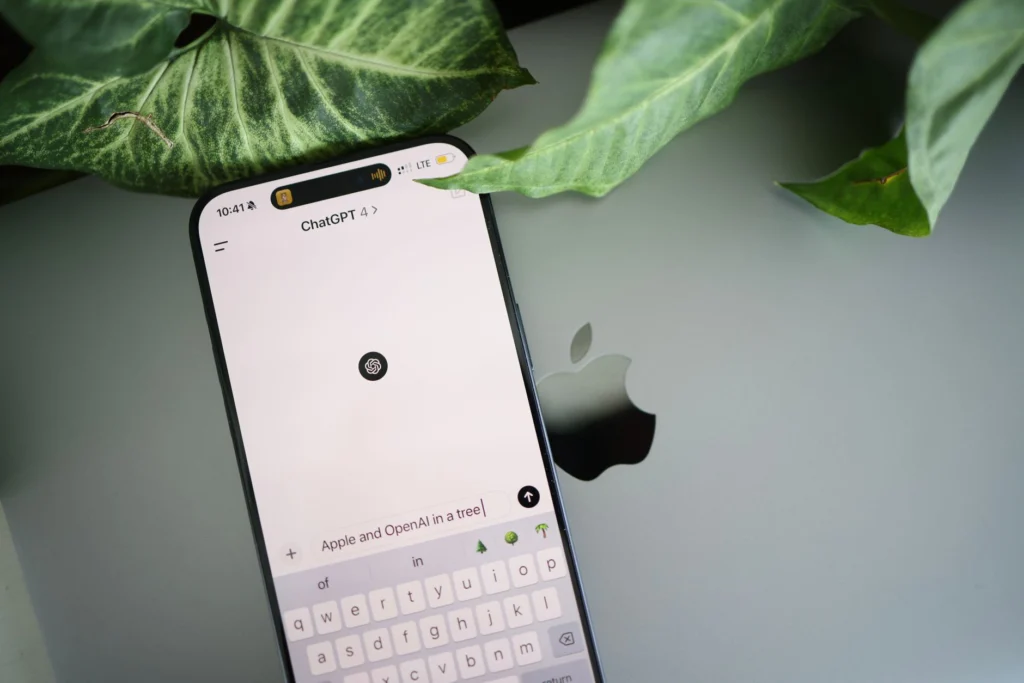
ChatGPT is OpenAI's consumer-facing AI assistant — a conversational interface built on top of OpenAI's GPT model family, capable of writing, research, coding, data analysis, image generation, and increasingly autonomous "agent" tasks like browsing the web or executing multi-step workflows on your behalf. It remains the most widely used consumer AI product in the world, and for most people encountering AI chatbots for the first time, ChatGPT is still the default entry point.
Every pricing tier, explained honestly
OpenAI's pricing structure has gotten more layered over the past year, and it's easy to end up on the wrong tier for what you actually need. Here's the full breakdown as of this writing:
| Plan | Price | What you actually get |
|---|---|---|
| Free | $0 | Access to a current-generation model with tight usage limits, and — a real 2026 change — ads, introduced on the Free and Go tiers in February 2026 |
| Go | $8/month | More message volume than Free, still ad-supported, still missing most advanced features (Deep Research, Agent Mode, Sora) |
| Plus | $20/month | The full model suite, Deep Research (10 runs/month), Sora video generation, Codex, Agent Mode, and no ads |
| Pro | $200/month | The top individual tier: the most capable model version, 250 Deep Research runs/month, and roughly double the context window of Plus |
| Business | $25/user/month ($20 annual) | Team-oriented features, admin controls; a Premium seat tier runs $125/user/month ($100 annual) |
| Enterprise | Custom (~$60/user/month observed, 150-seat minimum) | Privately hosted deployment, org-wide governance and compliance controls |
The practical read: Go is the tier most people should skip. For $8/month you still get ads and none of the features that make Plus genuinely useful — Deep Research, Agent Mode, and Sora are where the real value sits, and they only start at $20/month. If you're paying at all, Plus is very likely the right tier unless you have a specific, heavy professional use case that justifies Pro's $200/month.
What's changed recently
OpenAI's release cadence has stayed fast through 2026. The most consequential recent changes: the o3 model was formally retired from ChatGPT on August 26, closing out a 90-day sunset notice — a reminder that even flagship models eventually get deprecated, which matters if you or your team have built workflows around a specific model version. DALL·E's standalone generation flow inside ChatGPT was retired on August 30, with OpenAI consolidating image generation into ChatGPT Images instead. And advertising arriving on the Free and Go tiers in February 2026 marked a real shift in how OpenAI monetizes its largest, least-paying user base — worth knowing if you're deciding whether Free is really "free" for your use case.
The tips that actually make a difference
Most "ChatGPT hacks" content recycles the same shallow prompt templates. These are the habits that genuinely change output quality:
- Use Custom Instructions once, not every conversation. In Settings, you can define your role, goals, and preferred response style as a standing instruction applied automatically to every new chat — set it up once and stop re-explaining who you are and what you want every session.
- Use Projects to keep long-running context together. Rather than starting from zero each time, group related conversations and files under one Project — a trip itinerary, a client's brand guidelines, an ongoing writing project — and ChatGPT can reference everything without you re-uploading or re-explaining.
- Enable Memory so ChatGPT retains your recurring preferences and context across separate sessions, not just within one conversation.
- Front-load context in your prompt rather than trickling it in. A prompt with real detail — audience, tone, constraints, what "good" looks like — produces a meaningfully better first draft than a vague request followed by five rounds of correction.
- Ask it to grade its own output against explicit criteria. Forcing a self-review step ("check this against X, Y, Z and flag anything that doesn't meet the bar") reliably triggers more careful output than accepting the first pass.
- Use Canvas for anything you're editing collaboratively — a document or piece of code you'll iterate on repeatedly benefits from Canvas's persistent, editable view far more than scrolling back through chat history.
What real users actually say
ChatGPT's review scores vary dramatically by platform, and the gap itself is informative. On the App Store, ChatGPT holds 4.8/5 across 6.7 million reviews, and on G2 it sits at 4.7/5. But on Trustpilot — a platform that skews toward people motivated to complain — it drops to just 1.6/5 across roughly 2,790 reviews. That's not really a contradiction; it reflects who's reviewing where. Business users evaluating ChatGPT as a tool tend to report high satisfaction; the Trustpilot sample leans heavily toward billing disputes and support frustrations.
What users consistently praise: ease of use, genuine time savings, and versatility across writing, research, and coding — the core value proposition holds up in aggregate sentiment.
What users consistently complain about: hallucination is the dominant issue by far. On G2, "Inaccuracy" is the single most-mentioned negative tag (107 mentions), followed by "Unreliable Information" (68 mentions) — and a G2 poll found 75% of professional users report experiencing hallucinations, with more than half encountering them multiple times. The free tier's message caps are also widely flagged as disruptive to real workflows — users report hitting limits mid-task.
How to actually use ChatGPT better
The single biggest gap between casual and effective ChatGPT use isn't prompt cleverness — it's treating every conversation as disposable instead of building durable context (Custom Instructions, Projects, Memory) that compounds over time. The second-biggest gap is trusting output on factual claims without verification: given that three-quarters of professional users report hitting hallucinations, treat anything ChatGPT states as fact — a statistic, a citation, a specific claim about current events — as something to verify independently before you rely on it, especially on the Free tier where you're on an older or more constrained model. Used as a drafting and reasoning partner with a human doing the final fact-check, it's genuinely excellent. Used as an unverified source of truth, it will eventually burn you.
The bottom line
ChatGPT remains the most broadly capable, most widely adopted consumer AI assistant, and Plus at $20/month is the right tier for the large majority of paying users. Its biggest real weakness — hallucination — is well-documented by its own user base, not just critics, so build verification into how you use it rather than treating fluent output as necessarily correct output. We'll keep this page current as OpenAI's pricing, models, and features keep shifting.
See our companion master guides for Claude, Gemini, Grok — same format, same living-page approach, kept current the same way.
For the broader picture of what's happening across the AI industry right now, see our daily AI news briefing.